

What Is Design Home VIP?
Design Home VIP Points are earned by purchasing Bundles and Diamonds through the VIP web store at. It layers extra points, milestone rewards, exclusive bundles, and a few standalone perks on top of the base game.
There’s no subscription fee to join. You link an email, Facebook, or Apple ID to your existing Design Home account, then use that same credential to log in to the VIP site.
Table of Contents
- What Is Design Home VIP?
- How Design Home VIP Points Work
- VIP Milestones and Rewards
- Diamond Rewards
- Design Home Premium Design Pass
- My Designs: HD Downloads
- How to Join and Log In to Design Home VIP
- Eligibility and Access Issues
- Common VIP Problems and Troubleshooting
- Is Design Home VIP Worth It?
- Design Home VIP FAQ
How Design Home VIP Points Work
VIP Points are earned by purchasing Bundles and Diamonds through the VIP web store at vip.designhome.com, and select bundles through the in-game Premium Store. You can track your VIP Points and Milestone progress through the VIP Program.
You can track your point total on the VIP site or in-game on your Profile Page next to the crown icon.
Two details worth knowing before you buy:
- Points expire at the end of each calendar month. They don’t carry over, so it’s worth timing larger purchases and claiming rewards before the reset rather than right after it.
- New points can take 30-60 minutes to appear. If your total looks wrong immediately after a purchase, restart the app or refresh the VIP site before assuming something’s wrong.
VIP Milestones and Rewards

As VIP Points accumulate, you progress through Milestones tracked in the REWARDS tab on the VIP site. Crossing a milestone unlocks a reward typically Diamonds, bonus VIP Points, or furniture and décor items not available through normal gameplay.
EA doesn’t publish a fixed, universal list of point thresholds for each milestone, and reward items appear to rotate over time. Rather than rely on numbers that could be outdated by the time you read this, check your own REWARDS tab for current progress and rewards.
What is consistent:
- A CLAIM button appears once a milestone is unlocked.
- If you don’t claim a reward in time, it’s automatically credited to your account at the end of the month you won’t lose it, but you won’t see it until the reset happens.
Diamond Rewards
Diamonds earned through VIP Milestones work the same as Diamonds earned anywhere else in Design Home. Common uses:
- Exchanging for Cash or Keys in the in-game Premium Store
- Unlocking furniture and décor directly in design challenges
- Contributing toward Premium Design Pass progress
VIP members also get a separate weekly Diamond reward, claimed from the Rewards tab. As of the most recent official update, this reward is 50 Diamonds and resets weekly but the exact reset day has changed before, so check the Rewards tab for your current reset time rather than assuming a fixed day.
Design Home Premium Design Pass

The Premium Design Pass is a monthly system unlocked through the VIP Program. Once active, you complete goals and challenges over the course of the month to earn Cash, Keys, Diamonds, and items exclusive to the Pass. Unlocking it also earns VIP Points, on top of its own rewards.
One distinction worth being clear on: the Premium Design Pass (VIP-linked, purchase-unlocked) is a separate system from the base game’s Free Pass. The base game’s Free Pass is a separate system where players complete Daily and Monthly Goals to earn Pass Points, which can be redeemed for available Design Pass rewards. Progress on one does not transfer to the other, so confirm which Pass you’re tracking if you’re chasing a specific reward.
My Designs: HD Downloads
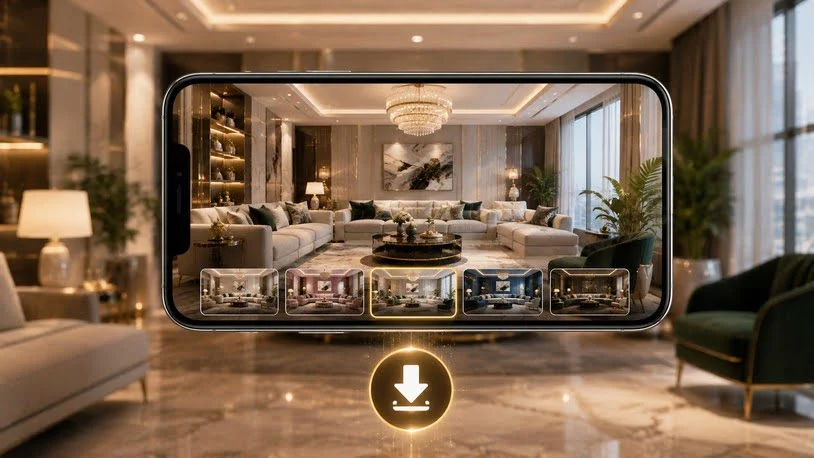
My Designs is a VIP-exclusive tool for downloading your own submitted room designs in higher resolution than a standard in-game screenshot.
To use it: log in to the VIP site, open the MY DESIGNS tab, and select the download icon (a blue button with a downward arrow) on any listed design to save an HD version to your device.
The tab shows your 18 most recent designs only once you submit new ones, older entries drop off the list. Download anything you want to keep before that happens.
How to Join and Log In to Design Home VIP
- Open Design Home and go to your in-game Profile settings.
- Link an email address (or Facebook/Apple ID) to your account, if you haven’t already.
- Go to Log in using the same email, Facebook, or Apple ID linked to your game account.
- Use the SHOP, REWARDS, and MY DESIGNS tabs to start earning points, tracking milestones, and downloading designs.
There’s no separate application or fee, though access is gradually being rolled out see the section below for details.
Eligibility and Access Issues
Design Home VIP is free to join, but access is gradually being rolled out to eligible players. Linking an email address to your Design Home account is required, but it does not guarantee immediate VIP access. There’s no level requirement or purchase requirement just to browse the VIP site once you’re in a linked account is needed only to make purchases and start earning VIP Points.
If login fails, the most common cause is a case-sensitivity issue with your email (see Troubleshooting below). If you’ve changed your linked email since first joining, you can simply log in with the new one your VIP account carries over.
Common VIP Problems and Troubleshooting
| Problem | Fix |
| Points not added after a purchase | Wait 30–60 minutes, then restart the app or refresh the VIP website. If points still haven’t appeared, confirm the purchase was made through the VIP web store (vip.designhome.com) purchases through the in-game Premium Store don’t earn VIP Points. If it was a VIP web store purchase and points are still missing, contact in-game support. |
| Designs missing from My Designs | Only the 18 most recent submissions are shown. Older designs that have scrolled off the list aren’t recoverable; this is expected behavior. |
| Diamond count not updating after claiming a Milestone | Refresh the Rewards page and restart the app. This is typically a display-sync delay, not a lost reward. |
| “Sorry! You are not authorized for login” error | Login is case-sensitive re-enter your email in all lowercase before trying again. |
| Missed claiming a Milestone reward before month-end | No action needed unclaimed rewards are automatically credited at the end of the month. |
| VIP Points reset to zero | Expected. VIP Points expire at the end of every calendar month by design. |
Is Design Home VIP Worth It?
Since joining is free and doesn’t require spending, there’s little downside to linking your account you get access to the weekly Diamond reward and My Designs downloads at no cost either way.
Whether the deeper rewards Milestones, exclusive bundles, the Premium Design Pass are worth it depends on whether you already spend on bundles or Diamonds in Design Home. If you do, routing those purchases through the VIP web store instead of the in-app store earns points toward rewards you’d otherwise miss, at no extra cost. If you don’t spend in the app at all, the free perks alone, weekly Diamonds, HD downloads are still a reasonable reason to link your account, even without engaging with the purchase-based side of the program.
Design Home VIP FAQ
Is Design Home VIP free to join? Yes. You only need a linked email, Facebook, or Apple ID there’s no signup fee.
Do VIP Points expire? Yes, at the end of every calendar month.
How do I log in to Design Home VIP? Go to vip.designhome.com and log in using the same email, Facebook, or Apple ID linked to your Design Home account.
Do all in-game purchases earn VIP Points? No. VIP Points are earned through purchases made on the Design Home VIP website. Purchases made through the in-game Premium Store do not earn VIP Points.
What’s the difference between the Premium Design Pass and the Free Pass? The Premium Design Pass is VIP-linked and runs its own monthly goals. The Free Pass is a separate, non-VIP system in the base game. Progress doesn’t transfer between them.
Can I recover a design that’s no longer in My Designs? No, the tab only holds your 18 most recent submissions. Download anything you want to keep as soon as possible.
What happens if I miss claiming a Milestone reward? It’s automatically credited to your account at the end of the month.
Who do I contact if a purchase or points issue doesn’t resolve on its own? The in-game Customer Experience Team, reachable via an in-game message.

Expert contributor and editor at Urban Time News specializing in smart city infrastructure urban development technology and modern lifestyle trends. Focused on delivering accurate well researched and data driven insights that help readers better understand the rapidly changing urban landscape. Committed to clear balanced and useful reporting on the trends ideas, and innovations shaping modern city life.